
Timeline
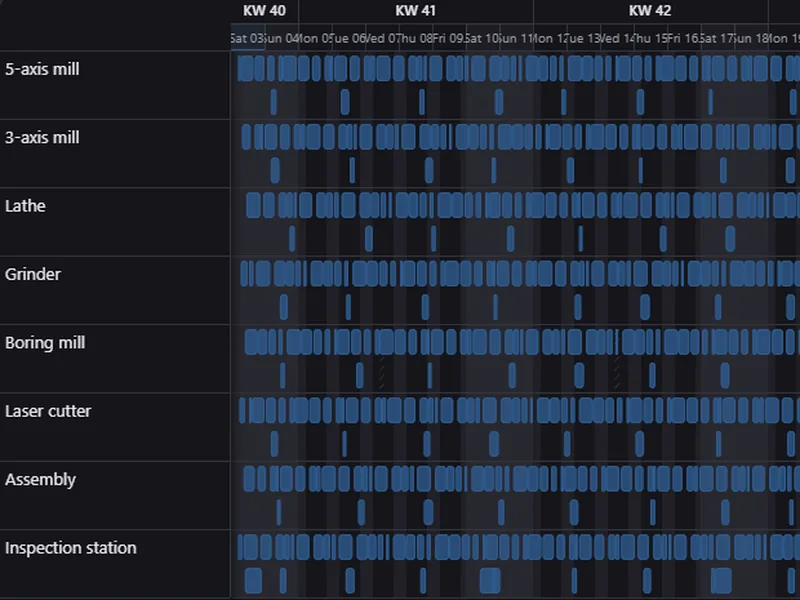
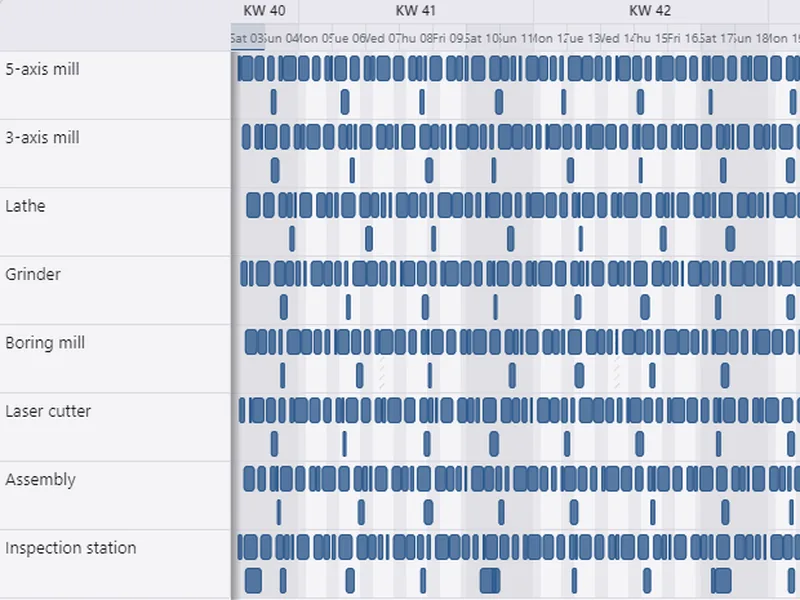
ArionUI.Timeline · free during the preview, also commerciallyResources as rows, activities as bars on a time ruler: machines and work orders, people and shifts, rooms and bookings. Bars can be moved, stretched and dragged onto another resource; the application decides what that writes.
Install
dotnet add package ArionUI.Timeline --prereleaseConstructing a TimelineView switches the module on. The package brings ArionUI.Planning along.
Model, ruler, view
var model = new TimelineModel<Machine, WorkOrder>(
    machines,
    orders,
    resourceKey: m => m.Id,
    assignedTo: o => o.MachineId,
    interval: o => new TimeInterval(o.From, o.To));

var ruler = new TimeRuler(DateTime.Today, DateTime.Today.AddDays(14),
                          TimeResolution.Hour, stepWidth: 26, now: DateTime.Now);

var timeline = new TimelineView<Machine, WorkOrder>(model, ruler,
    resourceLabel: m => m.Name,
    activityLabel: o => o.Title);

// The application owns the writes: drag to move or resize, drag onto another row to reassign.
timeline.Definition.MoveActivity = (o, interval) => { o.From = interval.Start; o.To = interval.End; };
timeline.Definition.AssignActivity = (o, machine) => o.MachineId = machine.Id;

grid.MainView = timeline;
The TimelineModel takes your resources and activities and three functions: a resource's key, the key an activity is assigned to, and an activity's TimeInterval. Overlapping activities of one resource are packed into lanes, so nothing hides behind anything else. The TimeRuler sets the window, the resolution — QuarterHour, Hour, Day, Week, Month — and the width of one step in pixels; now draws the current-time marker, and isNonWorking decides which steps are shaded as non-working time (weekends unless you say otherwise).
Editing by dragging
- Drag a bar to move it; drag one of its edges to change its length.
- Drag it vertically onto another resource to reassign it.
- Esc cancels a drag; Ctrl+Z undoes a move, as in the table.
The view does not write into your objects by itself: it calls MoveActivity with the new interval and AssignActivity with the new resource, and you decide what that means. Leave them unset and the bars stay where they are.
Appearance
var styled = new TimelineView<Machine, WorkOrder>(model, ruler, m => m.Name, o => o.Title,
    style: o => o.To < DateTime.Now
        ? new ActivityStyle(Palette.TextFaint, Palette.Border, Palette.Text)
        : ActivityStyle.Default);
Definition also carries the lane height, the width of the resource column, the inset of the bars and UnderlayOf, which returns ranges to shade or hatch behind a resource's bars — maintenance windows, absences. The resource column stays in place while time scrolls; the view asks the host for that when it is attached. After changing Definition, call timeline.Refresh().