
Modernise your WinForms or WPF app Preview
For software houses with a desktop application that has to stay a desktop application: replace the DataGridView first, then panel by panel, then the shell. The business logic stays where it is, and the application ships the whole time.
Ask for a free pilot Read the technical guide
Everything on this page is part of ArionUI Core — open source under Apache-2.0 — and exists in 0.1.0-preview.1. It is a preview: the API still moves between versions.
No rewrite, no move to the web
A rewrite stops feature work for months and throws away tested business rules. A move to the web trades a desktop app your customers know for a new set of problems. ArionUI takes a third way: it goes into the existing window as ordinary controls — ArionGridControl and ArionControlSurface on WinForms, ArionGrid and ArionControlSurface on WPF — and each replaces one piece of the old window while the code around it keeps running.
The path: inside out
The order is fixed by the technique: ArionUI goes into an old window, but an old native control cannot go inside an ArionUI board. So the work starts where it usually hurts first.
Swap the grid
The
DataGridViewbecomes anArionGridControlon the sameDataTableorBindingSource. Columns, the table's rules and the current row come along; the old event handlers stay.Then panel by panel
A detail form, a filter bar, a figures panel becomes a board bound to a view model. It reads the old state and calls the old methods.
Then the shell
Side bar, header and status line become ArionUI. The old forms keep their place next to them until they are replaced too.
Before and after
Step one on a WinForms form with a DataGridView on a BindingSource over a DataTable. The table stays, the binding source stays, the handlers stay; one control changes.
panelOrders.Controls.Add(new DataGridView { Dock = DockStyle.Fill, DataSource = orders });var grid = new ArionGridControl
{
Dock = DockStyle.Fill,
DataSource = orders, // a DataTable, a DataView or a BindingSource over one
VisualTheme = ArionTheme.FromSystem(), // the window's colours and font
};
panelOrders.Controls.Add(grid);
// The old handlers stay. Only the event they hang on changes.
grid.Api.Events.RowActivated += item => OpenOrder((DataRowView)item);
grid.Api.CommandInputs.EditRefused += reason => toolStripStatus.Text = reason;| Part of the form | Before | After |
|---|---|---|
| Data | DataTable and BindingSource | The same objects, unchanged |
| Columns | Generated from the schema | Generated from the schema, typed from each DataType |
| Rules | A wrong value ends in the DataError event | The table's rules refuse the value before the write; the reason comes through EditRefused |
| Current row | BindingSource.Position | Follows the position both ways, by row, also when the grid sorts |
| Event handlers | On the DataGridView | The same methods, hung on the grid's events |
| Look | Classic WinForms | Drawn by ArionUI, colours and font from the system |
A side-by-side comparison of DataGridView and ArionGridControl on the same data is in preparation. It will appear here when it is measured — until then, no numbers.
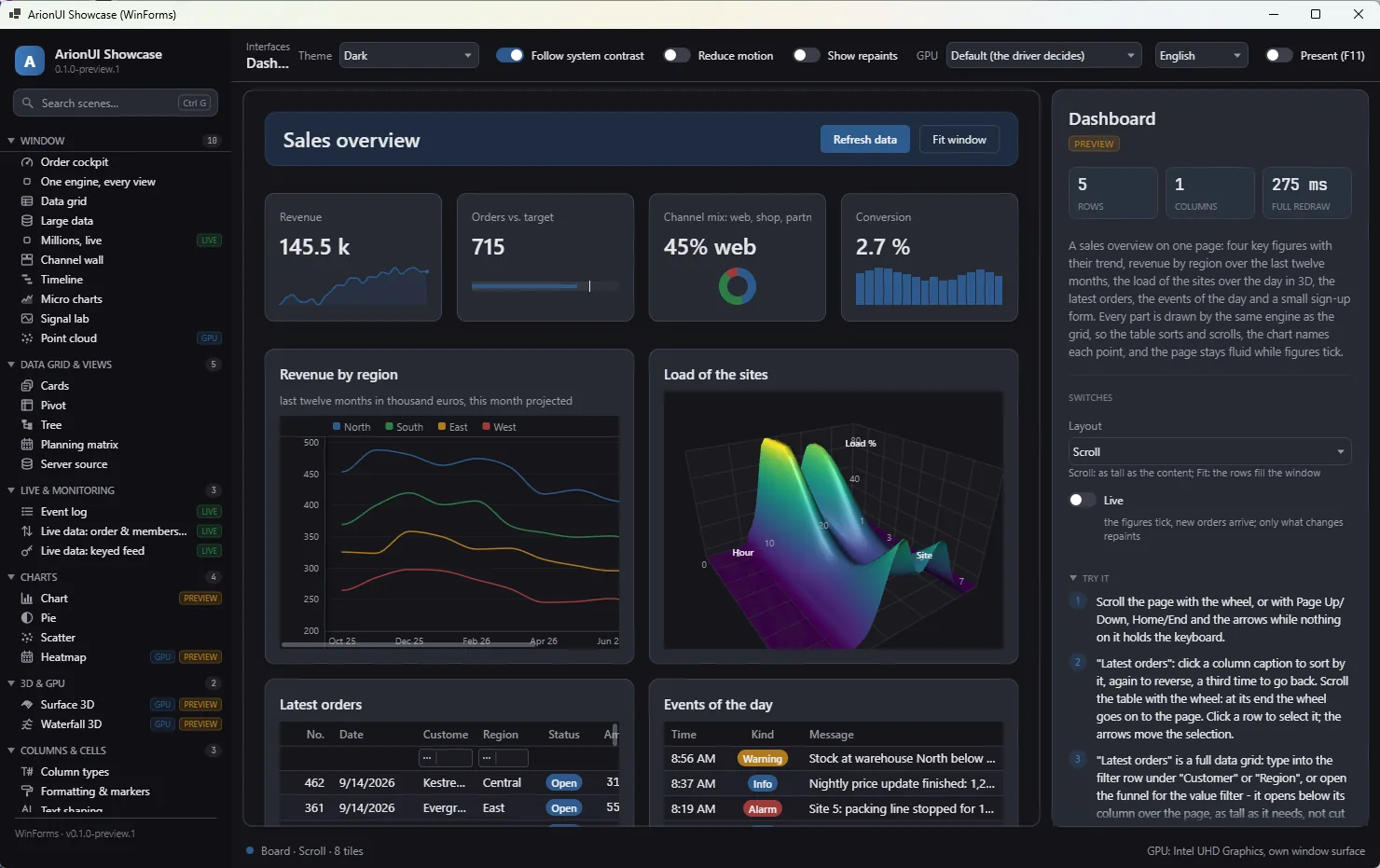
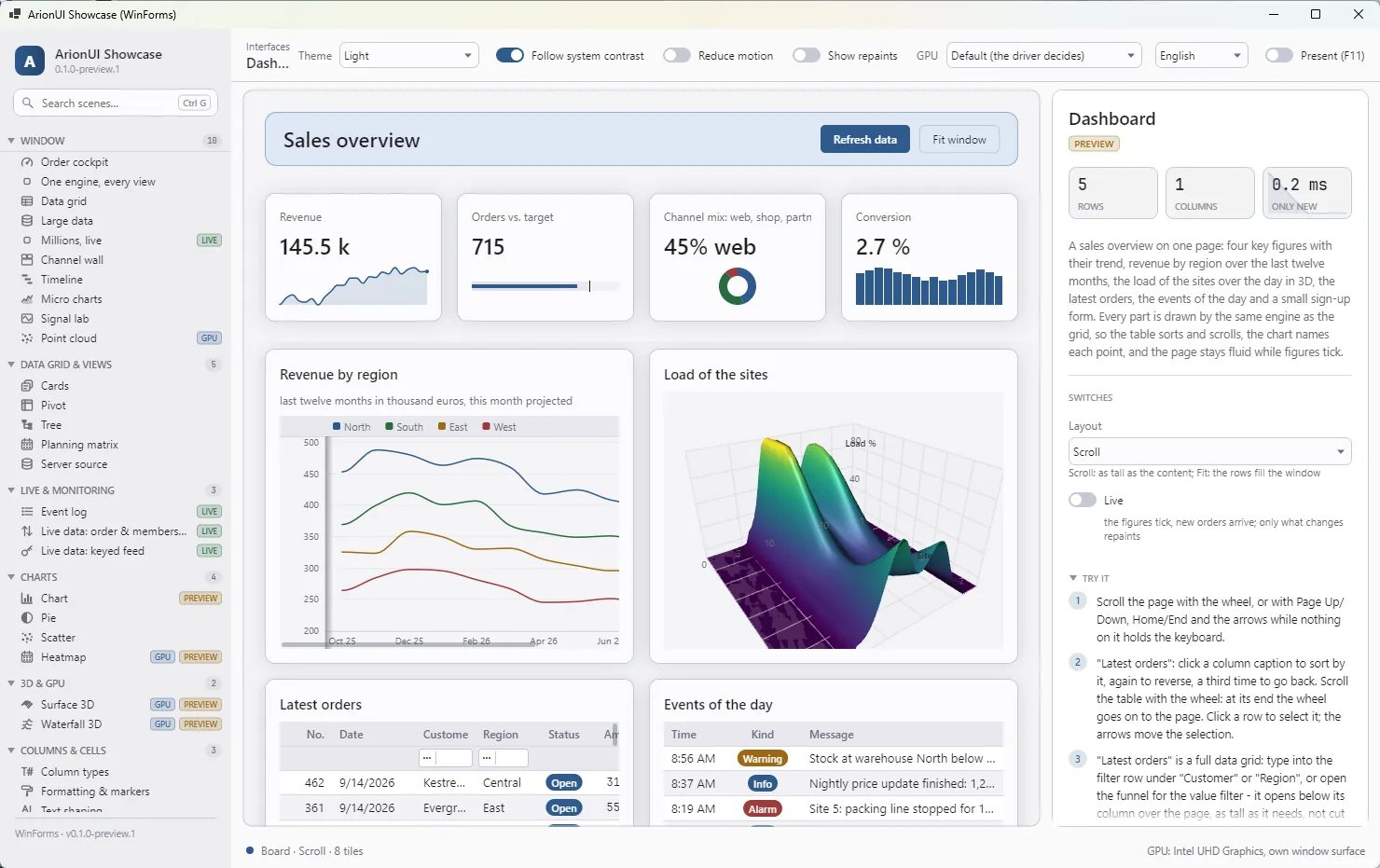
Form with docked panels — every visible part is an ArionControlSurface or an ArionGridControl. Screenshot of the running app (0.1.0-preview.1).What stays
- The business logic. Validation, calculations and data access are not touched; the new UI calls the same methods.
- The data layer.
DataTable,DataViewandBindingSourcego straight intoDataSource; view models bind to boards withboard.Bind. - The release cycle. Every step is small enough to ship on its own. The old forms keep working next to the new parts.
- The look of a Windows app.
ArionTheme.FromSystem()takes the system colours, the high-contrast scheme and the font, so the new parts do not look like a different application.
The repository has a sample, samples/ArionUI.Sample.WinFormsModernize: a classic order form and the same form after each of the three steps, sharing one file of business logic. The guide walks through it.
Honest limits
- .NET 10. An application on .NET Framework has to move to .NET first; that is a step of its own.
- No native control inside a board. A report viewer or a third-party control stays next to ArionUI, not inside it.
- No VB6, Delphi or Access. There is no ActiveX wrapper.
- Windows only so far, no designer, no docking. Boards and columns are written in C#.
The full list and the code for each step: Modernise a WinForms or WPF app in the documentation, and Limitations.
Pilot · free during the preview
We modernise one of your forms together with you
You have a WinForms or WPF application whose forms sit on a DataGridView, a DataTable or a BindingSource. Pick one form that hurts. We take it through the first steps with your developers — the grid on your own data, then a panel — and the code stays yours.
- Free of charge during the preview. In return we learn where the path is still rough, and that goes into the next preview.
- A limited number of pilots. We answer every request and say honestly whether it fits.
- What it needs: one representative form, a developer on your side, and an application on .NET 10 or a plan to get there.
Ask for a pilot office@arionui.com — two lines on what the form does and what it runs on are enough.