
Modernise a WinForms or WPF app
Keep the business logic of the old forms and put a new, drawn UI on top of it — from the inside out: first the data grid, then a panel, then the shell. No rewrite, no switch to the web, and the application ships the whole time.
Preview A guide, not a product. Everything in the code below exists today; the parts that would make it shorter are planned and named as such.
Inside out
ArionUI goes into an existing window as ordinary controls: ArionGridControl and ArionControlSurface on WinForms, ArionGrid and ArionControlSurface on WPF. Each replaces one piece of the old window, and the old code around it keeps running. The reverse does not work: an old native control cannot go inside an ArionUI board. So the order is fixed:
- The data grid. The piece that usually hurts first — slow with many rows, dated, hard to style. Swapping it touches one panel and a handful of event handlers.
- A panel. A figures panel, a filter bar, a detail form becomes a board. It reads the old state and calls the old methods.
- The shell. Side bar, header and status line become ArionUI; the old forms keep their place next to them until they are replaced too.
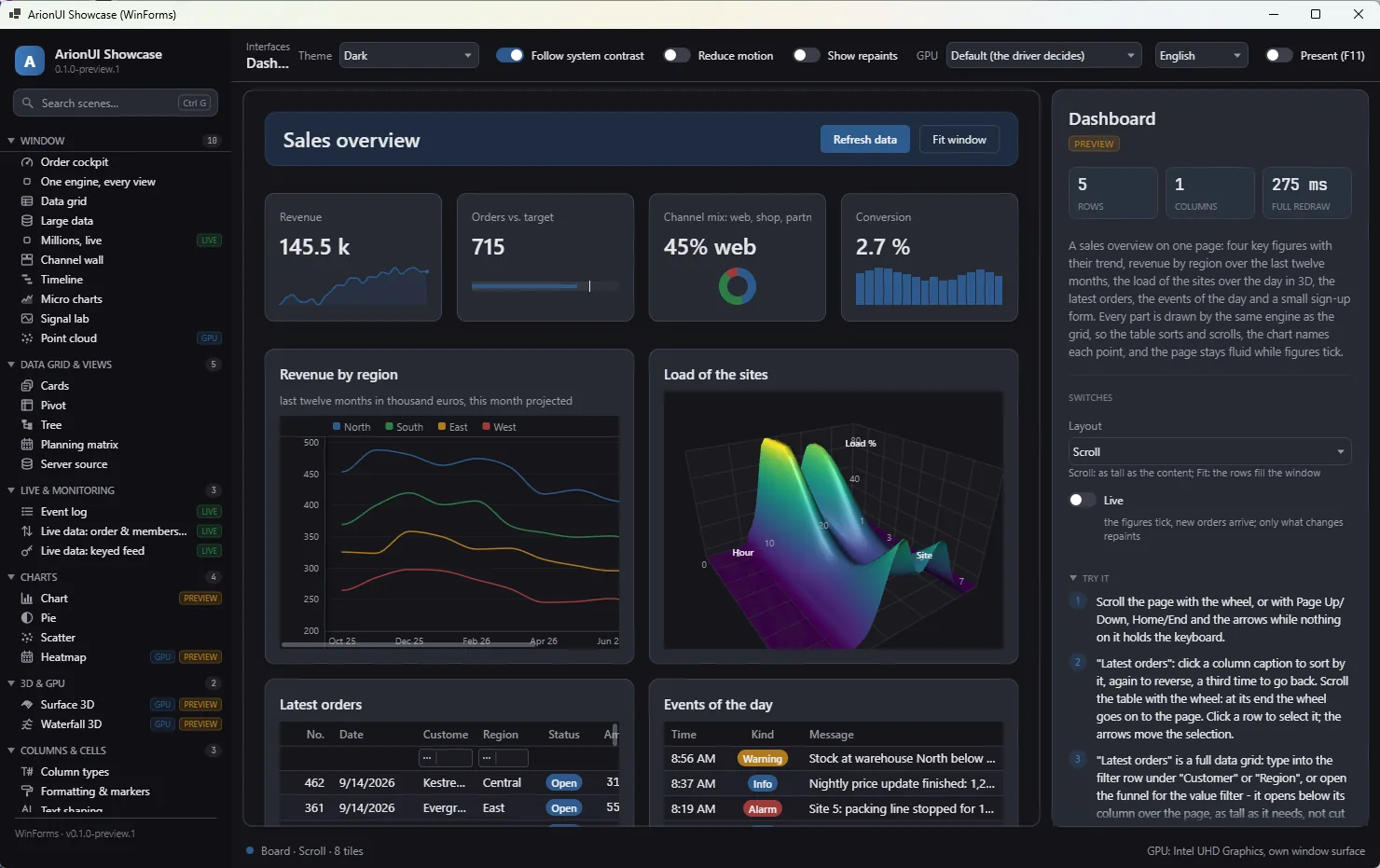
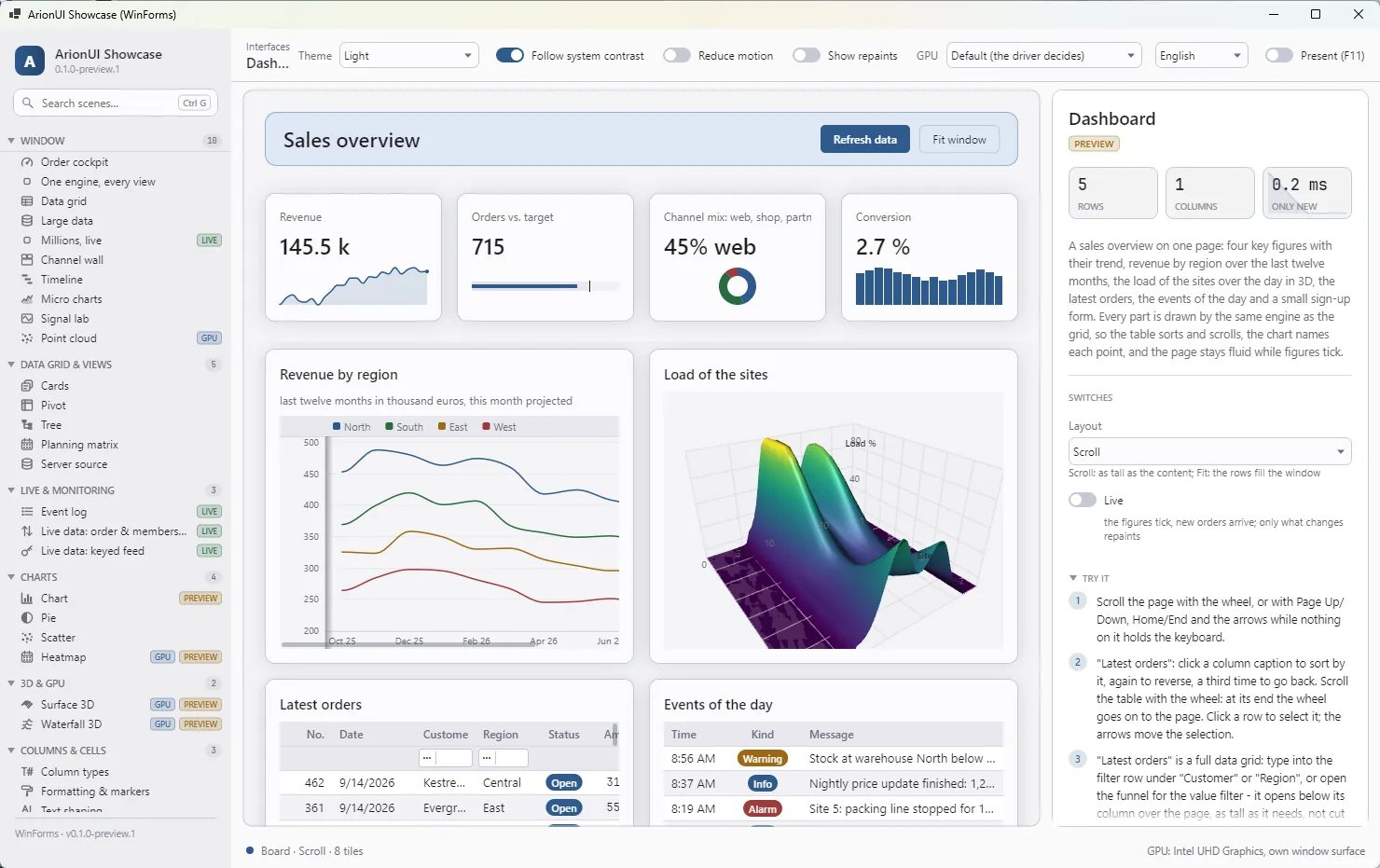
Form with docked panels — every visible part is an ArionControlSurface or an ArionGridControl. Screenshot of the running app (0.1.0-preview.1).Before you start
- .NET 10. The hosts target
net10.0-windows(WPF) andnet10.0-windows10.0.19041(WinForms). An application on .NET Framework has to move to .NET first; that is a step of its own. - WinForms from source. The WinForms host builds and runs but is not a NuGet package yet: reference
src/ArionUI.Rendering.WinFormsfrom the repository (Install). WPF is a package. - Name clashes. WinForms and WPF have their own
Button,Label,TextBox. Alias ArionUI's controls (using Drawn = ArionUI.Presentation.Controls;) or build boards in files of their own.
Path A: swap the grid, keep the DataTable
A WinForms form with a DataGridView over a DataTable. The table stays, the handlers stay; the grid in between changes.
using ArionUI.Core;               // ListItemsSource
using ArionUI.Presentation;       // GridView, Column, TypedColumn, ArionTheme
using ArionUI.Rendering.WinForms; // ArionGridControl

// before: dataGridView1.DataSource = ordersTable;
var rows = ordersTable.DefaultView.Cast<DataRowView>().ToList();   // a snapshot, see below

var view = new GridView<DataRowView>(
    [
        Column.Text<DataRowView>("Customer", r => r["Customer"]?.ToString() ?? "").WithKey("customer").WithWidth(180),
        TypedColumn.Number<DataRowView>("Amount", r => Convert.ToDouble(r["Amount"]), format: "#,##0.00").WithKey("amount"),
    ],
    new ListItemsSource<DataRowView>(rows))
    .AsDataGrid();

var grid = new ArionGridControl(view) { Dock = DockStyle.Fill, VisualTheme = ArionTheme.Light() };
panelOrders.Controls.Add(grid);

// The old handler stays. Only the event it hangs on changes.
grid.Api.Events.RowActivated += item => OpenOrder((DataRowView)item);
What this costs today: ListItemsSource holds a snapshot of the rows. The columns read each value when a cell is drawn, so an edited value shows the next time its row is drawn; but rows the table gains or loses do not appear until you build the source again. A DataView reports such changes through IBindingList.ListChanged, which the grid's sources do not listen to — they follow INotifyCollectionChanged. You can bridge it in application code: an ObservableCollection<DataRowView> that a ListChanged handler keeps in step, handed to GridItemsSource.From. Columns are declared by hand: Column.AutoGenerate<DataRowView>() would list the properties of DataRowView, not the table's columns.
Planned: a DataTable source that sees inserts and deletes, columns generated from the table's DataColumns, and BindingSource support with its position kept in step with the grid's current item. Validation that the rows already report through IDataErrorInfo is planned as a ready edit policy; today it goes through an IGridEditPolicy of your own (Editing).
Path B: replace a panel with a board (WPF, MVVM)
A WPF window with a figures panel bound to a view model. The panel becomes a board that reads the view model through Func<>. Build it in a file of its own, where WPF's control names are not imported:
using BoardCheck;
using ArionUI.Core;                  // Track
using ArionUI.Presentation;          // BoardView
using ArionUI.Presentation.Controls; // Board, StackPanel, Label, StyleSheet

public static class KpiPage
{
    public static Board Build(KpiViewModel vm)
    {
        var board = new Board
        {
            Columns = [Track.AutoFit(min: 185, balance: true)],
            ColumnGap = 12,
            RowGap = 12,
            StyleSheet = new StyleSheet
            {
                { Select.Class("kpi"), new ArionStyle { Transition = ArionTransition.Fast } },
                { Select.Class("kpi").Hover, new ArionStyle { Lift = 3, BorderColor = Tokens.Accent } },
            },
        };

        foreach (var kpi in vm.Items)
        {
            board.Flow(new StackPanel { Gap = 4 }
                .Add(new Label { Text = () => kpi.Caption })
                .Add(new Label { Text = () => kpi.Value.ToString("N0") }),
                classes: "card kpi");
        }

        return board;
    }
}
In the window, an ArionGrid takes the place of the old panel — <arion:ArionGrid x:Name="KpiBoard" /> in XAML, with xmlns:arion="clr-namespace:ArionUI.Rendering.Wpf;assembly=ArionUI.Rendering.Wpf" — and shows the board:
var vm = (KpiViewModel)DataContext;
var board = KpiPage.Build(vm);
KpiBoard.MainView = new BoardView(board);

// Today by hand: tell the board that the view model changed. A bridge is planned.
vm.PropertyChanged += (_, _) => KpiBoard.Dispatcher.Invoke(() => board.Mutate(() => { }));
The empty Mutate is enough: the board compares what each tile near the view draws before and after, and repaints what changed. For a panel of a few controls without view tiles, an ArionControlSurface with SetRoot(board) does the same job on the CPU (Control surface).
Planned: a view-model bridge that turns INotifyPropertyChanged into a repaint on the UI thread, so the last line goes away; and a theme derived from the system colours and the window's font, so the board does not look like a different application.
Path C: a new shell, the old forms next to it
The navigation and the header become ArionUI; the old UserControls are loaded into a plain panel beside them. Nothing of the old forms changes.
using System.Windows.Forms;
using ArionUI.Rendering.WinForms;            // ArionControlSurface
using Drawn = ArionUI.Presentation.Controls; // StackPanel, Label, Button

var header = new ArionControlSurface { Dock = DockStyle.Top, Height = 52 };
var nav = new ArionControlSurface { Dock = DockStyle.Left, Width = 220 };
var legacyHost = new Panel { Dock = DockStyle.Fill };   // the old UserControls load in here

void Open(LegacyPage page)
{
    legacyHost.Controls.Clear();
    page.Dock = DockStyle.Fill;
    legacyHost.Controls.Add(page);
    current = page;
    header.Invalidate();
}

nav.SetRoot(new Drawn.StackPanel { Gap = 4, MainPadding = 12 }
    .Add(new Drawn.Button { Text = () => "Orders", Click = () => Open(new OrdersControl()) })
    .Add(new Drawn.Button { Text = () => "Customers", Click = () => Open(new CustomersControl()) }));

header.SetRoot(new Drawn.StackPanel { Horizontal = true, Gap = 12, MainPadding = 12 }
    .Add(new Drawn.Label { Text = () => current?.Title ?? "" }, Drawn.StackPanel.Fill)
    .Add(new Drawn.Button { Text = () => "Save", Classes = ["primary"], Click = () => current?.Save() }, cross: 30));

Controls.Add(legacyHost);
Controls.Add(nav);
Controls.Add(header);   // WinForms docks the control added last first
This is side by side in the host's layout, not one board: a board cannot hold a native control. The showcase's own scene list is an ArionGridControl with a view of its own; a plain button stack, as above, is the simpler start.
What works today
- A grid over any list, sorted, filtered, edited and searched, with its events and
ICommandinputs for the old handlers (The grid API, MVVM). - Bindable properties on the WinForms control, so
Control.DataBindingsworks withItemsSource,CurrentItem,SelectedItemand the others. - Boards with style sheets, breakpoints and view tiles in a grid control; controls on an
ArionControlSurface; many of them in one window, as the WinForms showcase shows. - The same code on WinForms, WPF and Avalonia: a board or a view written for one host draws on the others.
Planned
Planned The modernisation kit
- The WinForms host as a NuGet package Without it, a WinForms team has to build ArionUI from source before it can try anything.
- A DataTable source and columns generated from a DataTable Most old forms hold their data in a DataTable; today a grid sees a snapshot of it, not its inserts and deletes.
- BindingSource support, with its current position kept in step with the grid's current item Forms built in the designer navigate through a BindingSource; keeping it means keeping the form's logic.
- Validation from IDataErrorInfo and INotifyDataErrorInfo as a ready edit policy Error texts an application already produces should reach the grid without a second validation layer.
- A view-model bridge: INotifyPropertyChanged repaints a board on the UI thread Today a view model tells the board by hand; MVVM code should not need that line.
- A theme derived from the system colours and the form's font An ArionUI island in an old window should look like it belongs there, not like a different application.
- A WinForms sample: one form with a DataTable, before and after A migration path is only believable when you can open both versions and compare them.
No dates: these are decided, not scheduled. The whole list is on the roadmap.
Forms need more controls than exist today — tabs, radio buttons, a combo box, a multi-line text box. They are planned too: Controls.
Honest limits
- No native control inside a tile. A report viewer, a browser control or a third-party grid stays a WinForms or WPF control next to ArionUI, not inside a board. It would leave the immediate-mode contract and the parity between the hosts; it is not planned.
- No VB6, Delphi or Access. There is no ActiveX wrapper. Hosting a .NET window from such an application would be a project of its own with an open outcome.
- Windows only so far. Avalonia runs on Linux and macOS; ArionUI is developed and tested on Windows.
- No designer. Boards, columns and style sheets are C#. The cascade explains itself through
Explain, but there is no drag-and-drop surface in Visual Studio. - A preview. The API still moves between preview versions. Try a path on one form before you plan a migration around it.
All of it, built and planned, on one page: Roadmap.