
Pilot · free during the preview
A modernisation pilot
You have a WinForms or WPF application and one form that hurts. We take that form through the first steps to ArionUI together with your developers — the grid on your own data, then a panel — and the code stays yours.
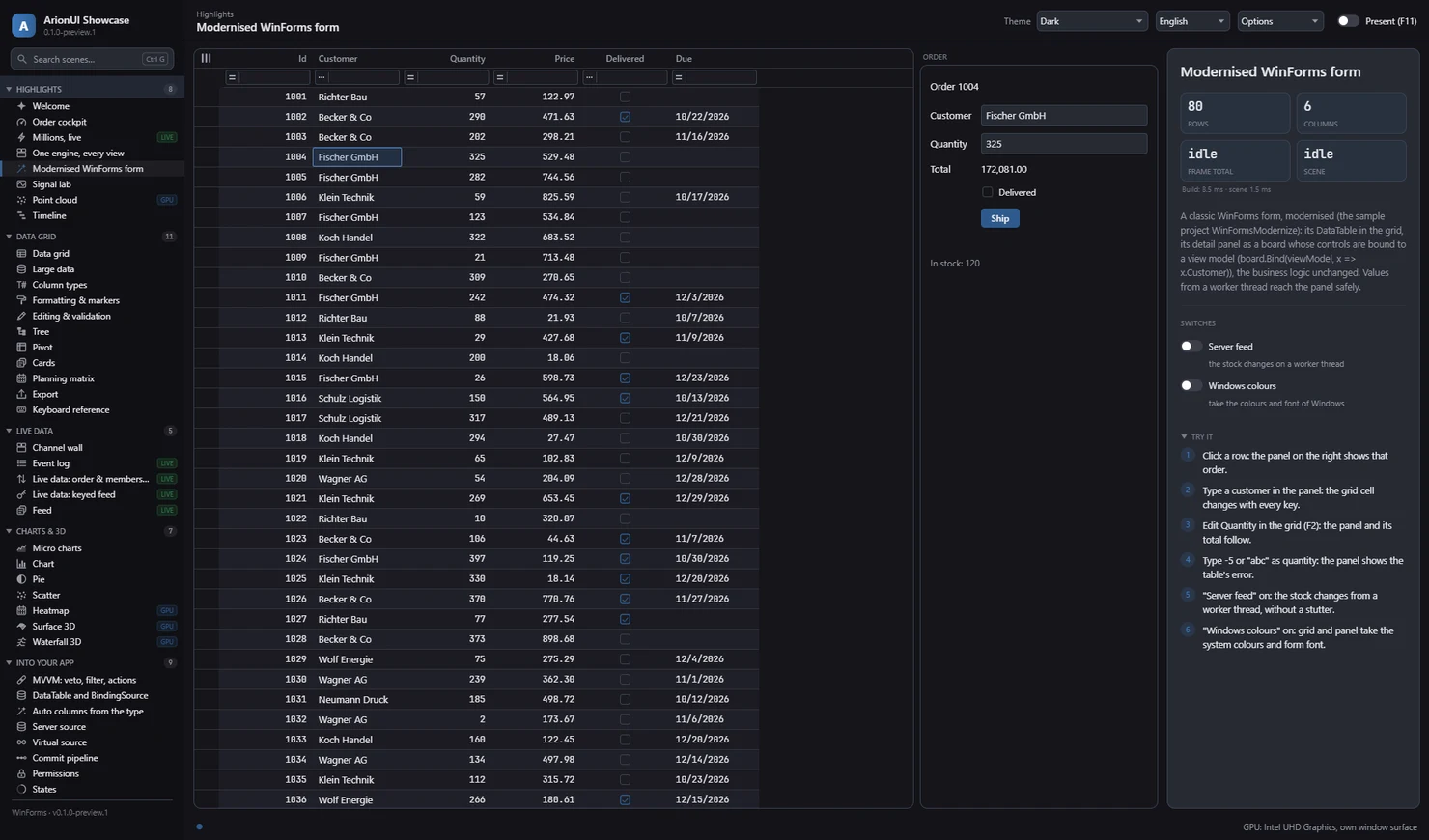
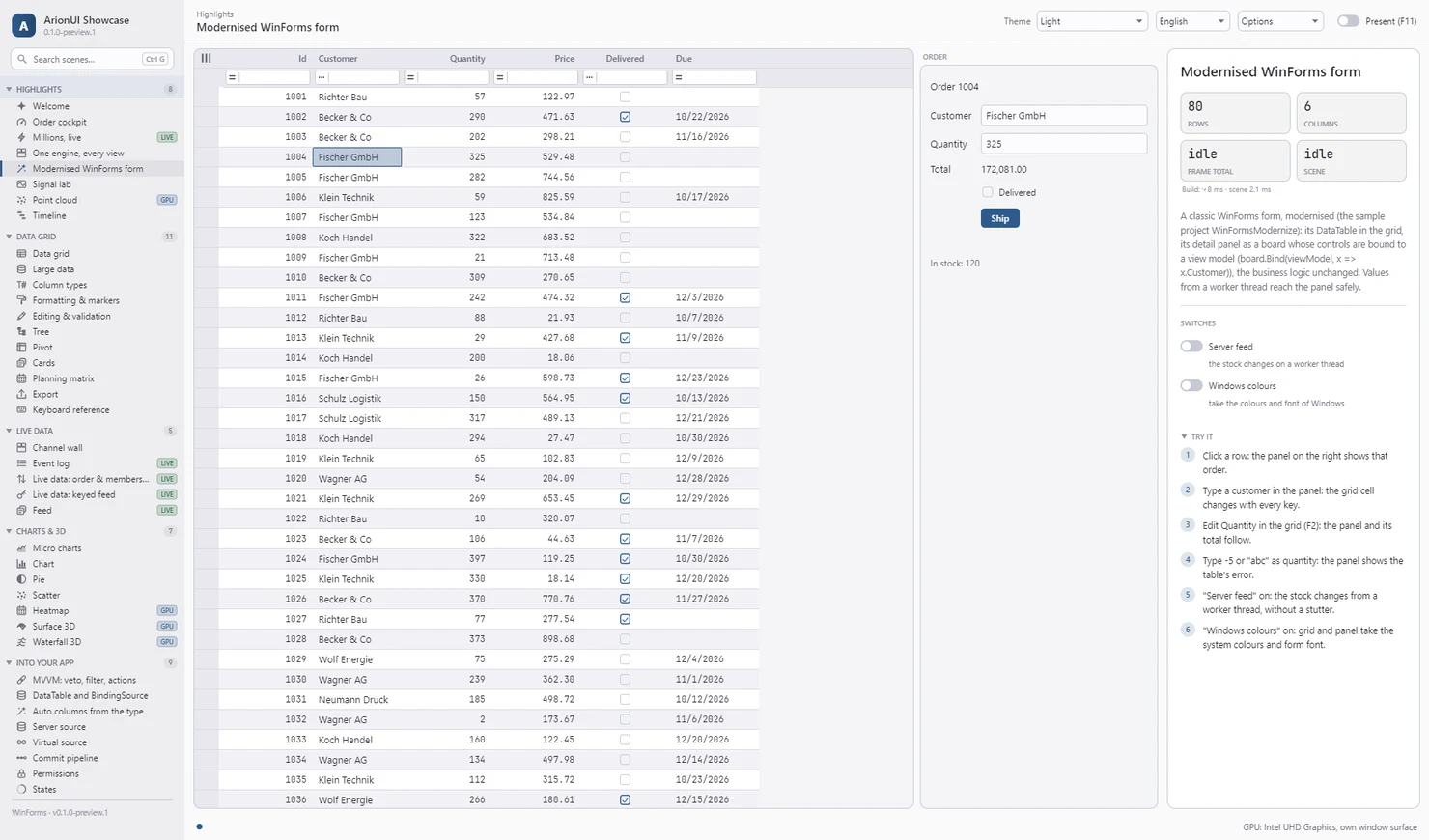
DataTable in an ArionUI grid and its detail panel as a board. Showcase “Modernised WinForms form” scene, WinForms host, screenshot of the running app (0.1.0-preview.1).Who it is for
- Teams with a WinForms or WPF application whose forms sit on a
DataGridView, aDataTableor aBindingSource. - Applications that keep their business logic in the existing code and should keep shipping while the UI changes.
- Developers who want to see the path on their own code before deciding anything bigger.
What we do together
- Pick the form. One representative form, the one that hurts most or that the rest of the application looks like.
- Swap the grid. The
DataGridViewbecomes an ArionUI grid on the same data and the sameBindingSource; the old handlers keep their bodies. - Replace a panel. A detail panel or filter bar becomes a board bound to the form's state, calling the same business logic as before.
- Write down what was rough. What did not fit, what needed a workaround, what the guide did not say.
The steps are the ones in the modernisation guide and the sample that comes with it; the pilot does them on your form instead of ours.
How long it takes
A pilot covers one form and the first steps, not a migration. How long that takes depends on the form, and we agree on the scope and the time frame when we talk, before anything starts.
What you give, what you get
You give
- One representative form and a developer on your side who knows it.
- Honest feedback on where the path is rough.
You get
- The form running on ArionUI, worked through with you. The code stays yours.
- Direct answers from the people who build the engine. What the pilot shows to be rough goes into the next preview.
- No fee: the pilot is free of charge during the preview.
What it needs
- An application on .NET 10, or a plan to get there. An application on .NET Framework has to move to .NET first; that is a step of its own.
- A form on WinForms or WPF. Avalonia works too, but the pilot is about existing applications.
- A developer on your side with time for it.
Limits
- A limited number of pilots. We answer every request and say honestly whether it fits.
- A preview. The API still moves between preview versions, and we do not recommend ArionUI for production systems yet.
- No native control inside a board. A report viewer or a third-party control on the form stays next to ArionUI, not inside it.
- No VB6, Delphi or Access. There is no ActiveX wrapper.
- No support contract. A pilot is a joint attempt, not a service with response times.
Ask for a pilot
Not ready for a pilot? The guide and the article on replacing a DataGridView walk through the same steps on the sample form.